
| University | Massey University (MU) |
| Subject | 156756 Digital Marketing |
156756 Workshop 2 – Landing Page Optimization
Due date: Monday 4 May, 2026, 11:55am
Weightage: 15%
Purpose of the Exercise:
Understand the practical steps that need to be taken to have an effective landing page:
Landing pages are meant to facilitate a specific action you want a user to take in relation to your business objectives. They help you to improve relationships with customers, intelligence about your business, and the success of your marketing campaigns.
Background
Kent’s Camera Castle just hired you to help with its online marketing efforts.
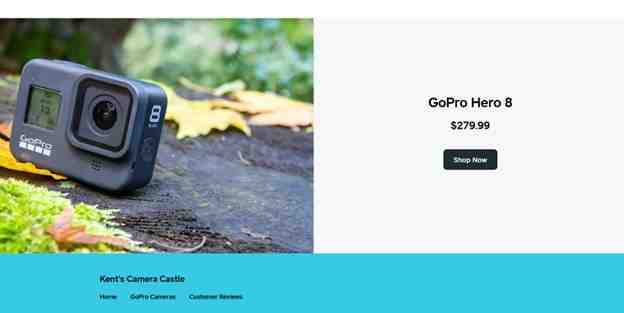
Its landing page for the GoPro Hero 8 is performing poorly and needs to be optimized for better conversions.
Landing Page
The landing page is a single product landing page selling the GoPro Hero 8. Kent’s Camera Castle has a paid search manager named Brenda that manages pay-per-click and display advertising campaigns.
Display Ad
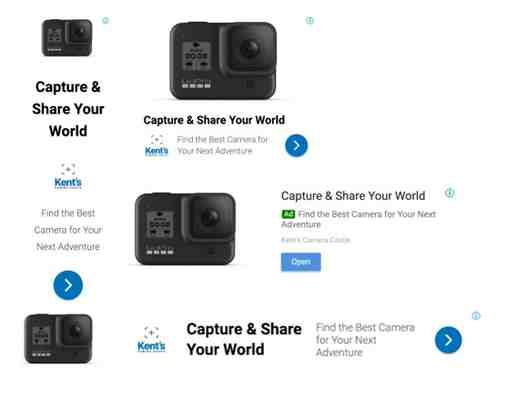
Brenda created the below display ad that will be used to send paid traffic to your new landing page once it is completed. The ad can display in four different formats.
Your Job
This is one of your first projects at Kent’s Camera Castle, so you want to make your boss proud!
Within the last 30 days, the GoPro Hero 8 landing page has gotten around 100 unique visits a day and sold an average of 0.5 cameras a day. Your boss wants you to raise that average to five cameras a day by optimizing the landing page.
As you look over the landing page, pay attention to the characteristics of the different elements, including positioning, wording, colors, wow factors, etc.
Use the principles you learned from Chapter 2 of the “Digital Marketing Essentials” textbook and the 7 Principles of Conversion Centered Design Expert Session to optimize the website and increase sales.
Preparation
- Re-read Chapter 2 from our Stukent textbook ‘Digital Marketing Essentials’.
- Watch this video on what is a Landing Page. (She talks fast, so frequently pause and re- start).
- Secondly, watch The 7 Principles of Conversion Centred Design video (51 mins). The slides for this video are here if you want them.
o HINT: Read through this workshop. Then as you watch this video/go through the slides make notes on what you will need to change on the landing page. You must watch these videos. Do not attempt to get summaries from other places, as you will get the answers wrong.
- Thirdly, watch this video by WishPond. See here (Video will start from 3:04 minutes. It is recommended that you watch at least until 5:44 mins. You can watch more of course.)
Assignment Instructions
There’s no need to stress, you aren’t expected to know or use any HTML code. You have access to Wishpond’s platform, which comes with an easy drag-and-drop design editor. You’ll be able to easily drop, remove, and rearrange any elements you’d like. Want to change the text? Simply click and edit.
Getting Started
- Download the Wishpond Assignment Template from Stream under “Assessment 1 – Workshop 2”.
- Unzip the folder. Find the file “wpt” and set it aside.
- Create your free Stukent Wishpond account by visiting http://www.wishpond.com/w/stukent. IMPORTANT: MAKE SURE YOU USE THE STUKENT LINK TO SIGN UP. USE YOUR EMAIL ADDRESS. DO NOT SIGN UP WITH FACEBOOK OR A GOOGLE ACCOUNT.

- At the top of the page, select “Landing Page.” If you don’t see “Landing Page” you may need to click “VIEW MORE” on the far right.
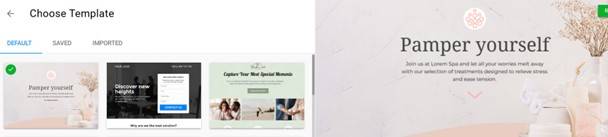
- On the left side of the page, click “IMPORTED.”
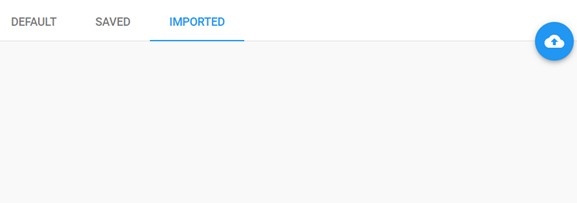
- Click the cloud icon to import a template.
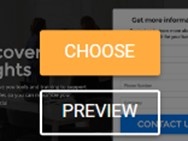
- Browse the files on your computer, and upload the student_template_v5_3.wpt file that you downloaded during the first step. Once the template is finished uploading, hover over it, and select “CHOOSE.”
This is your product landing page layout in its current state. You will follow conversion-centered design principles as you edit and optimize this page. - Name your campaign “YourNameYourStudentID_workshop”. Click on DONE and you are nearly ready to start editing.
- STOP! BEFORE you start editing! Download the Answer Sheets 1 and 2. Make a note of WHAT you propose to change, and why you are going to make these changes to the old landing page. JUSTIFY these changes with facts, figures, quotes from the textbook, the video and class notes, etc.
- Now start editing!
- Once you have finished editing and are happy with it (or it is due to be handed in), then click on the Preview tab in the top Right Hand Screen. Look at your landing page on a desktop computer, tablet, mobile phone and Facebook page with this preview function.
- Finished? Now upload your homework sheet to Stream in the “Assessment 1 – Workshop 2” dropbox. See below.
Submitting Your Work
Once you are finished, publish your landing page to the Wishpond server, and email your boss (professor) the link to your new GoPro Hero 8 landing page.
Here’s how to do that:
- While in the Wishpond editor, click “PUBLISH” in the top right corner.

- Edit the default URL by clicking “EDIT PUBLISHING OPTIONS” and then “Wishpond URL.”
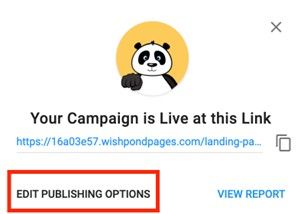
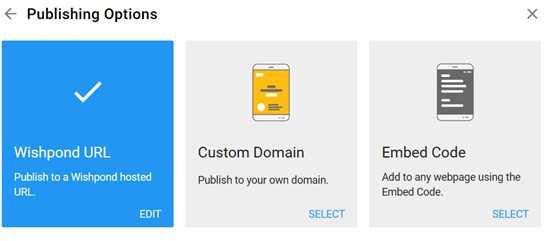
- In the subdomain name field, enter your first and last name (e.g., john-smith) or another
unique name as outlined by your professor. If your professor has given you a class ID, enter it in the path field and click “PUBLISH.” If no class ID is given, enter the abbreviation for your university or college followed by your initials into the path field (ex. UVU JS) and click “PUBLISH.”
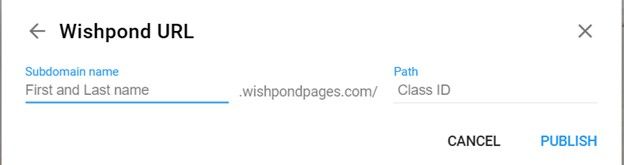
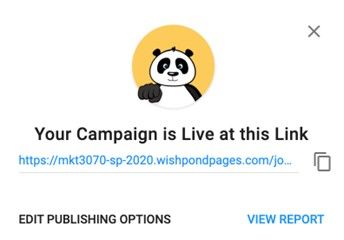
- Copy your published landing page URL, and paste it into the answer sheet. Be sure to test your link to make sure it’s not broken and that it directs you to your new landing page. Please double-check that you have included this link in your assignment.
For additional information on how to use Canvas, Wishpond’s landing page builder, read this blog article:
https://blog.wishpond.com/post/115675437996/wishpond-canvas-landing-page-builder
If you enjoyed using Wishpond, feel free to leave a review of the platform here.
Get Help with 156756 Landing Page Optimization Assignment
Hire NZ Native Experts 24/7.
Working on your 156756 Landing Page Optimization workshop but unsure what changes will actually improve conversions? Many students struggle with applying conversion-centred design principles, justifying design decisions, and explaining why certain elements increase sales. If you're facing the same issue, NZ Assignment Help can guide you with practical digital marketing assignment help based on real concepts. You can also explore our 156756 assignment to see how similar tasks are handled. For a clear and well-justified solution, you can rely on our assignment help and complete your workshop with confidence.

- PARA704 Clinical Risk Reduction Assessment Brief 2026 | AUT
- NURS705 Community, Context and Nursing Individual Assignment 2026
- NSCI 8002 Applied Research Methods Assessment 1: Case Study 2026
- BN610606 Manaakitanga in the Mental Health Context Assessment 1, 2026
- BSNS5201 Administration Systems and Processes Assessment 2, 2026
- 722.676 Nursing with an Inpatient Focus Written Assessment 2026 | MIT
- MGT617 Occupational Health and Safety Intervention Programme Design and Evaluation Assignment 2, 2026
- HEAL802 Decision Making in Healthcare Services Assignment 3, 2026 | AIS
- 115.109 Introduction to Business Analytics Assignment Brief 2026
- NURS602 Long-term Care and Disability Assignment 2, 2026 | AUT